
How to implement Android Review Flow correctly
A practical guide to building reliable Android in-app review prompts with ReviewFlow, from timing rules and cooldowns to Compose integration and testing.

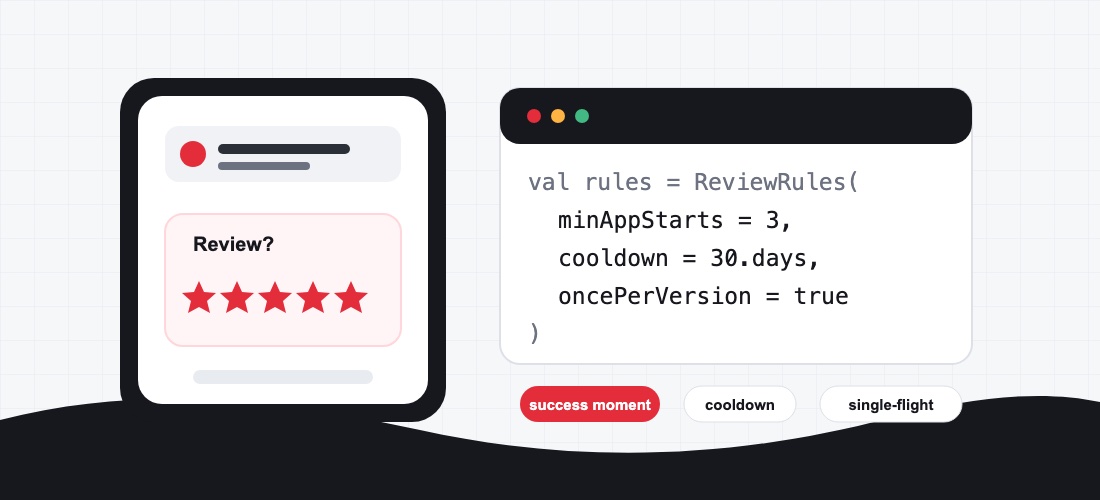
Android In-App Reviews look like a small feature at first: request a ReviewInfo, launch the review flow, and continue. In real apps, that exact flow can become fragile quickly. The dialog is controlled by Google Play, subject to quotas, not guaranteed to be visible, and should only be requested at the right moment.
This article explains how to implement an Android Review Flow correctly: not as an aggressive rating popup, but as a calm, testable part of your app architecture. The examples are based on ReviewFlow, a small Kotlin library for in-app review orchestration built on top of the official Google Play In-App Review API. If you are planning a broader native Android project, the related article on Android app development with Kotlin and Jetpack Compose gives the wider platform context.
Definition: What is the Android Review Flow?
The Android Review Flow is the Google Play flow that lets users rate an app directly inside the app. The app does not create its own rating dialog, manipulate the star rating UI, or control whether the official in-app review UI appears.
The important limitation is this: your app receives a completion callback from launchReviewFlow(...), but it does not know whether the dialog was visible, whether a review was submitted, or which rating was chosen. Google Play decides whether the dialog is shown. For that reason, the review flow must never become a critical step in a product flow or onboarding sequence.
Why direct Play Core integration often gets messy
The official API consists of two core steps: requestReviewFlow() and launchReviewFlow(...). Technically, that works. In practice, most of the complexity lives around the API:
- The app should ask only after meaningful success moments.
- The request should not run on every app start or after every tap.
- Each app version should usually get at most one reasonable attempt.
- Multiple concurrent triggers should not start multiple review requests.
- Tests should not depend on whether Google Play shows a visible dialog.
When these rules are spread across Activities, Fragments, or Composables, the flow becomes hard to maintain. ReviewFlow addresses that gap by keeping timing rules, cooldowns, once-per-version behavior, single-flight execution, and observable state in one small orchestration layer.
Installation with ReviewFlow
ReviewFlow is available on Maven Central. For classic Android apps, the core module is enough:
repositories {
    google()
    mavenCentral()
}

dependencies {
    implementation("com.zleptnig:reviewflow-core:0.1.0")
}
For Jetpack Compose apps, you can use the Compose module instead. It depends on the core module:
dependencies {
    implementation("com.zleptnig:reviewflow-compose:0.1.0")
}
ReviewFlow does not replace the Google Play review feature. It adds a structured layer around it, so the app does not duplicate cooldown and trigger logic in multiple places.
Version 0.1.0 is published on Maven Central under the com.zleptnig group. Because ReviewFlow is still pre-1.0, the public API may still evolve. Pin the version explicitly and review the changelog before upgrading.
The right trigger: success moment instead of rating button
A common mistake is adding a visible “Rate app” button that directly attempts to open the in-app review dialog. That sounds obvious, but it is problematic: Google Play may suppress the dialog because of quotas. From the user’s perspective, the button can then look broken.
A better pattern is an implicit trigger after a positive, completed flow. Examples:
- a project was saved successfully
- an export was completed
- a booking or order was confirmed
- a level or learning unit was completed
- a recurring task was completed successfully several times
With ReviewFlow, such a moment is registered explicitly. In a real app, keep the calls sequenced if tryShow(...) depends on the just-recorded state:
val reviewOrchestrator = ReviewOrchestrator.create(context)

lifecycleScope.launch {
    reviewOrchestrator.onAppStart()
    reviewOrchestrator.onSuccessMoment()
    reviewOrchestrator.tryShow(activity)
}
The important point is not the exact code block, but the product rule: the review flow is not forced. It is attempted after a meaningful success moment.
Configure rules deliberately
ReviewFlow’s default rules are conservative:
- at least 3 app starts
- at least 1 success moment
- 30 days cooldown
- at most once per app version
For many apps, that is a reasonable starting point. In production, the rules should still match the product context. A taxi app, a B2B time tracking app, a fitness tracker, and a game all have very different success moments.
val reviewOrchestrator = ReviewOrchestrator.create(
    context = context,
    rules = ReviewRules(
        minAppStarts = 5,
        minSuccessMoments = 3,
        cooldown = 30.days,
    ),
)
The rule should be easy to justify: Why is this moment fair? Has the person had enough experience with the app? Is the flow complete? Are they not being interrupted during an important task?
Compose integration without UI-side effects
In Jetpack Compose, the review flow should not accidentally start multiple times because of recomposition. ReviewFlow provides rememberReviewOrchestrator() and ReviewEffect for this pattern.
@Composable
fun ExportScreen(
    exportCompleted: Boolean,
    onReviewTriggerConsumed: () -> Unit,
) {
    val orchestrator = rememberReviewOrchestrator()

    ReviewEffect(
        orchestrator = orchestrator,
        trigger = exportCompleted,
        onConsumed = onReviewTriggerConsumed,
    )
}
The review trigger stays an event, not a permanent UI state. That matters because a review flow is a one-shot side effect. It should not be restarted on every recomposition.
What tryShow(...) means
A successful call to tryShow(activity) does not mean that the user saw a visible dialog. It only means that the flow completed successfully from the app’s perspective.
This distinction matters for analytics and product decisions. An app should not track “user saw review dialog” if it does not technically know that. More accurate events are neutral:
- review flow was attempted
- review flow was blocked by rules
- review flow was launched technically
- review flow completed
The actual rating remains with Google Play.
Testing: test behavior, not the Google dialog
The visible Google Play dialog is non-deterministic and is not a stable assertion for automated tests. Tests should verify your own logic instead:
- Are app starts counted?
- Are success moments counted?
- Does the cooldown apply?
- Does once-per-version behavior apply?
- Is a concurrent trigger ignored?
- Are states and events emitted correctly?
ReviewFlow is designed to make this testable, including fake clients and fake clocks. For end-to-end checks of the real Play flow, internal test tracks or Internal App Sharing are useful. Even there, the app should not depend on a visible dialog appearing.
Common Android Review Flow mistakes
Asking too early
Asking for a rating immediately after the first launch is rarely useful. The person has not had a chance to understand the app. A good review flow waits for usage signals.
Asking for satisfaction first
Questions like “Do you like the app?” or “Would you give us 5 stars?” before the official review flow are problematic. The flow should not be used to route only positive ratings into Google Play.
Treating the dialog as guaranteed
Google Play can suppress the dialog because of quotas or other conditions. The app must continue normally afterward.
Spreading review logic across UI code
If every Activity, Fragment, or Composable has its own rules, duplicated triggers and inconsistent cooldowns appear quickly. A central orchestration layer is easier to maintain.
Misreading analytics
The app does not know the rating result. If you measure review events, distinguish clearly between “flow attempted” and “review submitted.”
Privacy and product quality
ReviewFlow itself does not include tracking or analytics SDKs. Still, each app must check which data is processed in the context of Google Play and reviews, and how the Play Console Data safety section should be answered. That is not only a code question; it is part of release and privacy review.
From a product perspective, a good review flow does not compensate for poor app quality. It can give satisfied users a well-timed opportunity to provide feedback. It should not be treated as a growth hack for technical debt, poor performance, or unclear UX.
FAQ
Can ReviewFlow guarantee that the rating dialog is shown?
No. Google Play decides whether the dialog is visible. ReviewFlow provides clean orchestration, rules, and testability, but it does not bypass Play Store quotas.
Should I add a “Rate app” button?
For the in-app review flow, a direct button is usually not recommended because the dialog may not appear after the tap. For explicit user actions, a link to the Play Store page is often clearer.
When is a good time to request the review flow?
After a completed, positive moment, when the person has already used the app meaningfully. The exact trigger depends on the product: a saved task, a successful export, a confirmed booking, or another real value moment.
Does ReviewFlow work with Jetpack Compose?
Yes. The reviewflow-compose module provides Compose helpers such as rememberReviewOrchestrator() and ReviewEffect.
Do I still need to follow the official Google Play rules?
Yes. ReviewFlow is an orchestration layer on top of the official API. Quotas, UX guidance, test conditions, and Play Store rules still apply.
Conclusion
Android In-App Reviews should not be treated as a popup trick. Implemented correctly, they are a small, controlled part of the product architecture: a suitable trigger, clear rules, no false guarantees, reliable tests, and an app flow that continues normally.
ReviewFlow helps keep this logic out of scattered UI code. The library makes the Android Review Flow coroutine-first, observable, and testable without bypassing Google Play. That is the right frame: do not pretend to control ratings, but implement your app’s side of the flow cleanly.
creative workline supports companies with native Android app development. If your app needs a more reliable release process, app-store flow, or mobile architecture review, you can get in touch.